> For the complete documentation index, see [llms.txt](https://sharinghub.kittenbot.hk/llms.txt). Markdown versions of documentation pages are available by appending `.md` to page URLs; this page is available as [Markdown](https://sharinghub.kittenbot.hk/actuators/geekservo2k_motor.md).
# GeekServo 2KG電機
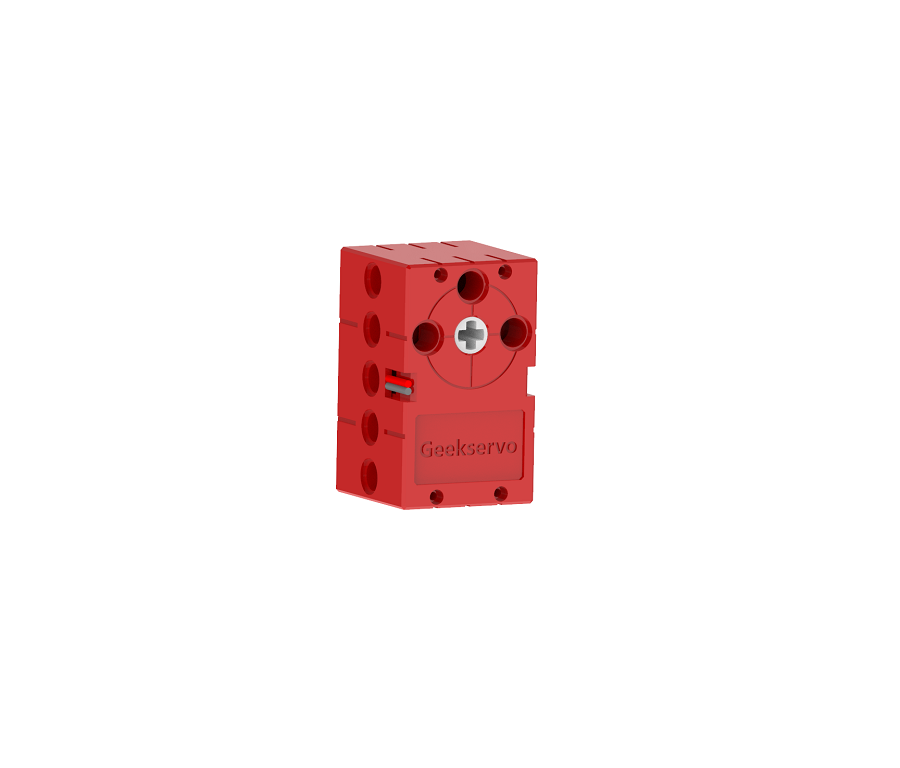
這是一款兼容樂高插孔的高扭力的電機,相對於9g電機,在同等供電下具有更高轉速。輸出軸為兩組樂高十字孔,主要用在驅動動力機械。
### 產品參數
* 工作電壓:3.3V\~6V
* 額定電壓:4.8V
* 額定電流:70mA
* 堵轉電流:900mA
* 打滑電流:700mA
* 最大扭力:1.6kg±0.2kg/cm(4.8V)
* 最高轉速:120rpm(3V供電情况下)
* 重量:20g
* 接口:紅黑線
### 產品特色:
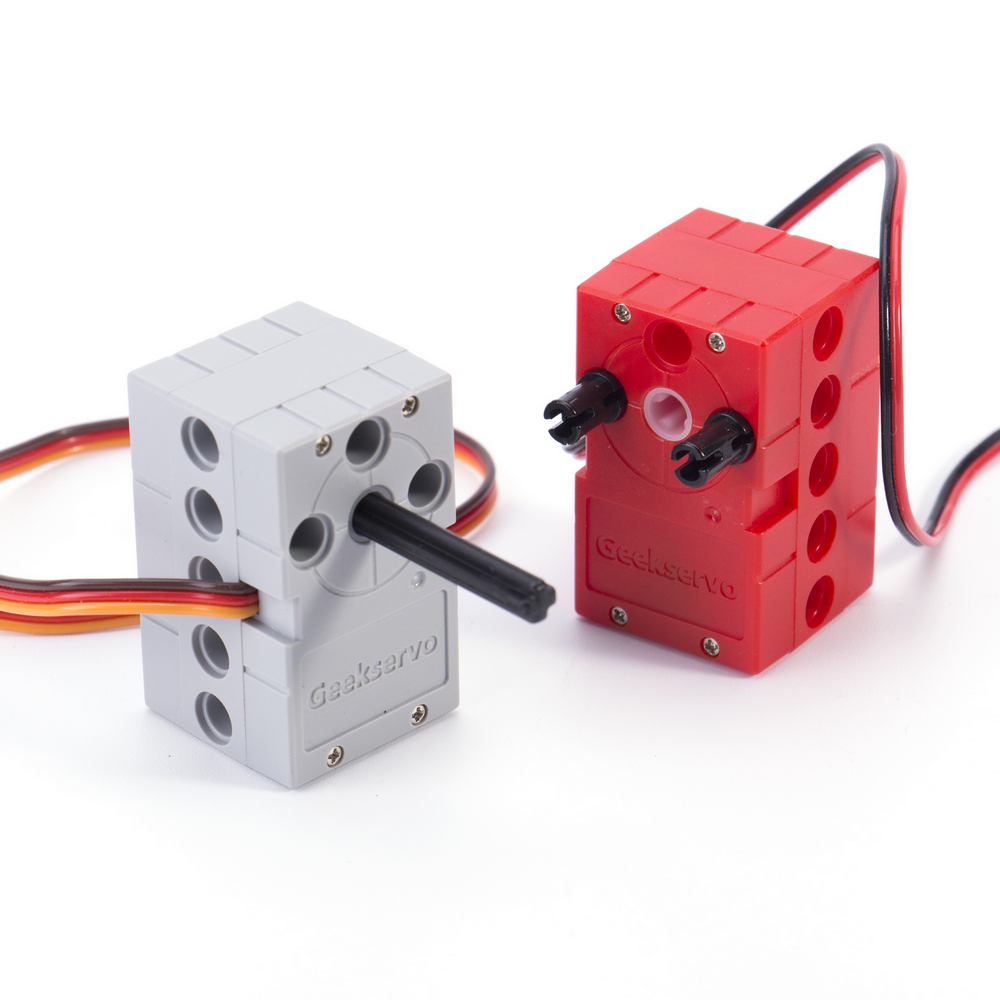
繼承了GeekServo 9G舵機電機的優點,增強了扭力與速度,改善了結構
* 採用十字沉孔作輸出軸
* 可以因使用情況自由插入不同長度的十字軸
* 扭力更大
* 扭力為GeekMotor 9G的三倍左右
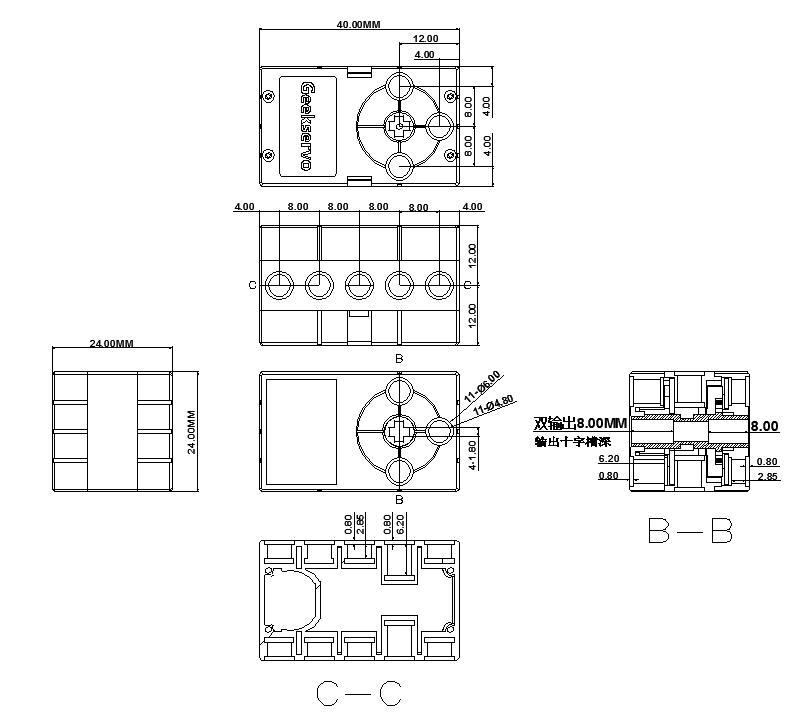
### 規格尺寸
#### 樂高孔單位:
* 長度:5孔
* 闊度:3孔
* 高度:3孔
* 輸出軸:樂高十字軸
#### mm單位:
* 長度:40mm
* 闊度:24mm
* 高度:24mm
* 輸出軸:樂高十字軸
## 使用教學
## Robotbit EDU/2.2
### 接線方法
#### Robotbit 2.2
 #### Robotbit EDU
 ### MakeCode編程教學
#### 加載Robotbit插件:
#### 在擴展頁直接搜尋robotbit (robotbit已經過微軟認證,可以直接搜尋)
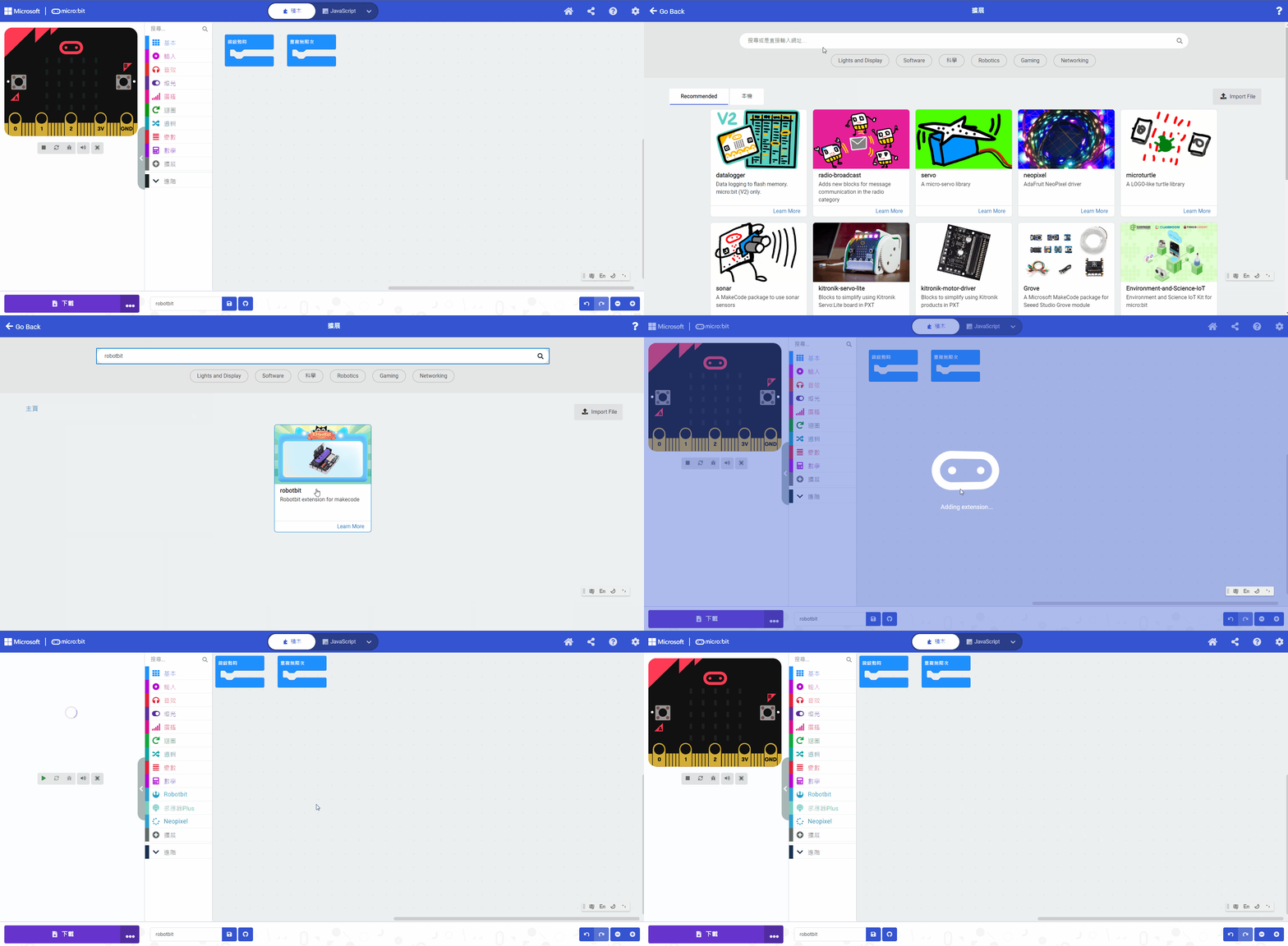
#### 你亦可以用插件地址搜尋
robotbit插件:
#### [詳細方法](/programmingplatforms/makecode/kittenbotandmakecode.md)
#### 馬達積木塊:
### MakeCode編程教學
#### 加載Robotbit插件:
#### 在擴展頁直接搜尋robotbit (robotbit已經過微軟認證,可以直接搜尋)

#### 你亦可以用插件地址搜尋
robotbit插件:
#### [詳細方法](/programmingplatforms/makecode/kittenbotandmakecode.md)
#### 馬達積木塊:
 #### 參考程式
{% embed url="" %}
## Armourbit
### 接線方法
#### 參考程式
{% embed url="" %}
## Armourbit
### 接線方法
 ### MakeCode編程教學
#### 加載Powerbrick插件:
#### 在擴展頁直接搜尋Powerbrick (powerbrick已經過微軟認證,可以直接搜尋)

#### [詳細方法](/programmingplatforms/makecode/kittenbotandmakecode.md)
#### 參考程式
{% embed url="" %}
## Meowbit
### 接線方法
#### Robotbit 2.2
#### Robotbit EDU
### MakeCode Arcade編程教學
#### 加載robotbit插件:
#### [詳細方法](/programmingplatforms/makecode/kittenbotandmakecode.md)
#### 電機積木塊:
### MakeCode編程教學
#### 加載Powerbrick插件:
#### 在擴展頁直接搜尋Powerbrick (powerbrick已經過微軟認證,可以直接搜尋)

#### [詳細方法](/programmingplatforms/makecode/kittenbotandmakecode.md)
#### 參考程式
{% embed url="" %}
## Meowbit
### 接線方法
#### Robotbit 2.2
#### Robotbit EDU
### MakeCode Arcade編程教學
#### 加載robotbit插件:
#### [詳細方法](/programmingplatforms/makecode/kittenbotandmakecode.md)
#### 電機積木塊:
 #### 參考程式
{% embed url="" %}
## 插件版本與更新
插件可能會不定時推出更新,改進功能。亦有時候我們可能需要轉用舊版插件才可使用某些功能。
詳情請參考: [Makecode插件版本更換](/programmingplatforms/makecode/makecodeextupdate.md)
#### 參考程式
{% embed url="" %}
## 插件版本與更新
插件可能會不定時推出更新,改進功能。亦有時候我們可能需要轉用舊版插件才可使用某些功能。
詳情請參考: [Makecode插件版本更換](/programmingplatforms/makecode/makecodeextupdate.md)