> For the complete documentation index, see [llms.txt](https://sharinghub.kittenbot.hk/llms.txt). Markdown versions of documentation pages are available by appending `.md` to page URLs; this page is available as [Markdown](https://sharinghub.kittenbot.hk/airelated/koi2/firmwareupdate.md).
# KOI (KOI 1 & 2) 固件升級
### KOI固件版本檢查
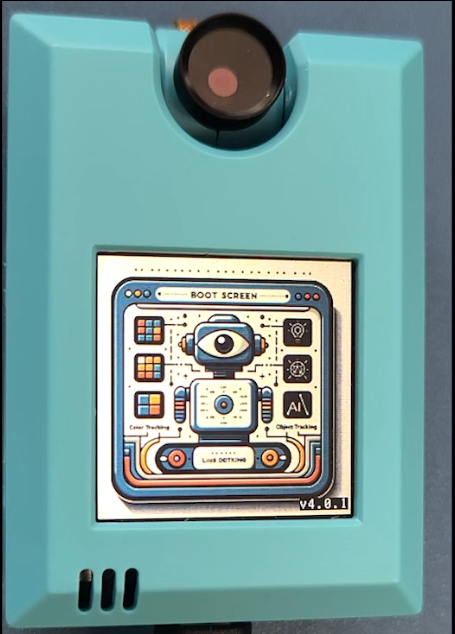
在KOI開機時,右下角會顯示現時版本,例如4.2.0。
 ### KOI (1 & 2) 分別有自己的固件升級檔案, 請選擇合適檔案進行升級。
* 2者的升級的操作方法是一樣, 具體可參考後面的視頻說明。
### 💡KOI 1升級到 KOI2
KOI 1 用戶, 可以透過把固件升級到V4後, 便可享用到KOI 2的升級功能。
首先需把KOI 1 的固件更新至V4。
### **注意!**
### **進行升級前,請移除KOI上的micro SD卡。**
### **KOI 1升級後,和KOI 2一樣都不需要SD卡儲存檔案,圖像辨識模型/相片等都可以儲存在內存上。**
#### 升級 KOI 1 (Micro USB) 至V4固件
*最新版本號 V4.2.0*
{% file src="/files/UYBfc7P8bAlQc9Tf6pPr" %}
此版本適用於:
1. 原裝KOI 1 (Micro USB 插頭) 的定時更新。
2. 較早時已為KOI 1 升級至V4 或以上, 其後再次更新。
### 💡KOI 2 (Type C) 定期固件更新
*最新版本號 V4.2.0*
{% file src="/files/boTt5QKAGb29um71lEPM" %}
此版本適用於:
1. 原裝KOI 2 (Type C 插頭) 的定時更新。
### 以上為最新固件版本,如要下載過往固件檔案,請前往 KOI歷史固件一覽
{% content-ref url="/pages/YeHEglo2A2uBoZwo2i2O" %}
[KOI歷史固件一覽](/airelated/koi2/firmwareupdate/firmwarelist.md)
{% endcontent-ref %}
## KOI 固件更新操作方法
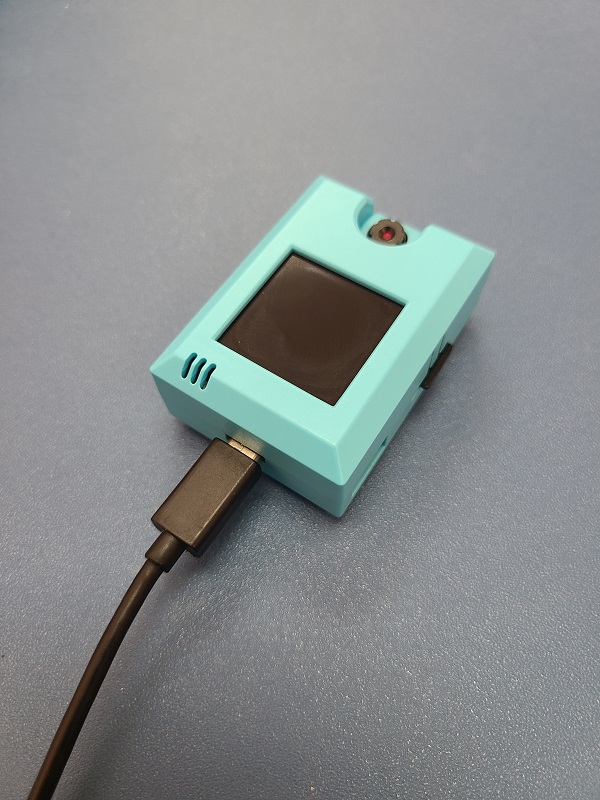
用USB線將KOI連接到電腦。
### KOI (1 & 2) 分別有自己的固件升級檔案, 請選擇合適檔案進行升級。
* 2者的升級的操作方法是一樣, 具體可參考後面的視頻說明。
### 💡KOI 1升級到 KOI2
KOI 1 用戶, 可以透過把固件升級到V4後, 便可享用到KOI 2的升級功能。
首先需把KOI 1 的固件更新至V4。
### **注意!**
### **進行升級前,請移除KOI上的micro SD卡。**
### **KOI 1升級後,和KOI 2一樣都不需要SD卡儲存檔案,圖像辨識模型/相片等都可以儲存在內存上。**
#### 升級 KOI 1 (Micro USB) 至V4固件
*最新版本號 V4.2.0*
{% file src="/files/UYBfc7P8bAlQc9Tf6pPr" %}
此版本適用於:
1. 原裝KOI 1 (Micro USB 插頭) 的定時更新。
2. 較早時已為KOI 1 升級至V4 或以上, 其後再次更新。
### 💡KOI 2 (Type C) 定期固件更新
*最新版本號 V4.2.0*
{% file src="/files/boTt5QKAGb29um71lEPM" %}
此版本適用於:
1. 原裝KOI 2 (Type C 插頭) 的定時更新。
### 以上為最新固件版本,如要下載過往固件檔案,請前往 KOI歷史固件一覽
{% content-ref url="/pages/YeHEglo2A2uBoZwo2i2O" %}
[KOI歷史固件一覽](/airelated/koi2/firmwareupdate/firmwarelist.md)
{% endcontent-ref %}
## KOI 固件更新操作方法
用USB線將KOI連接到電腦。
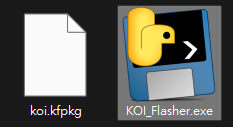
 解壓縮升級程式,打開KOI\_Flasher.exe。
 程式會自動更新KOI。
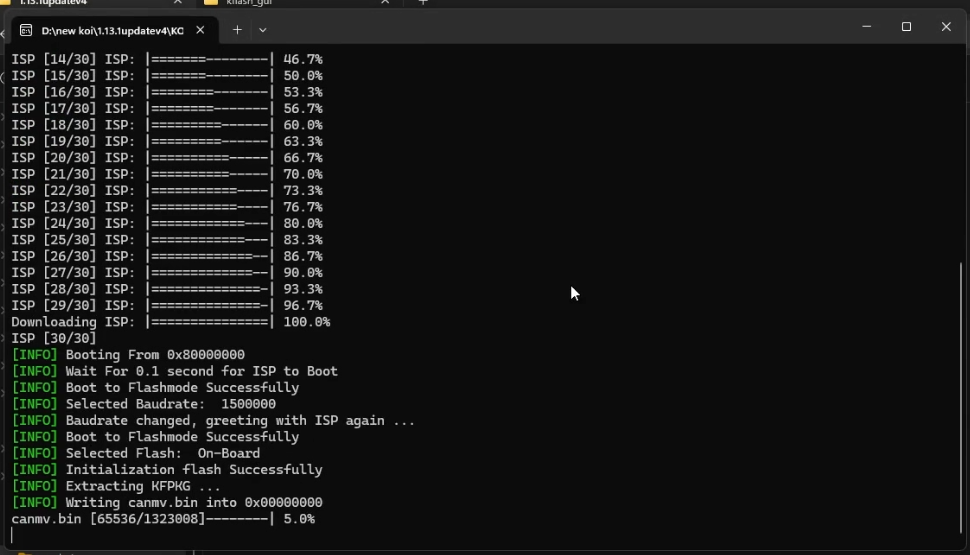 更新過程中請勿關閉程式或拔除USB線。
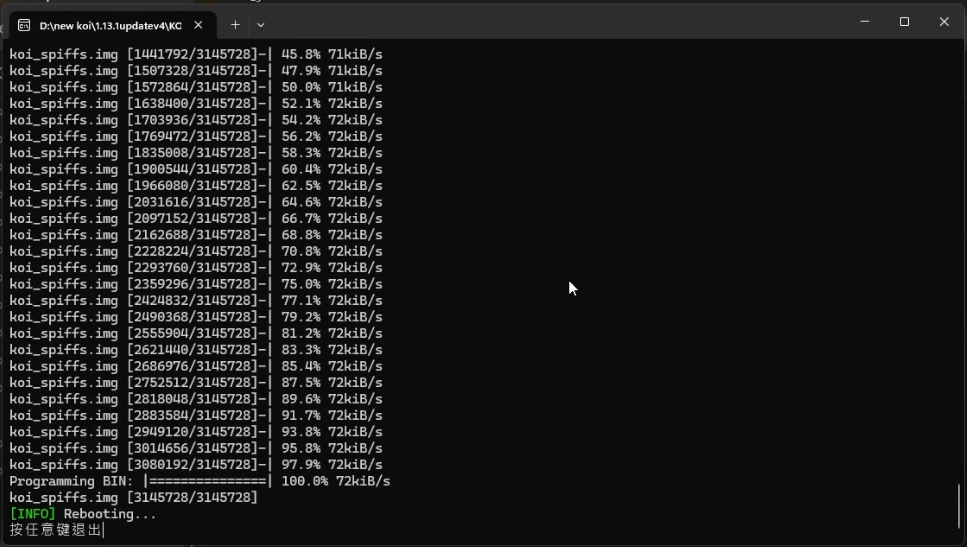
等待程式更新,更新過程大約4分鐘。完成後程式會提示『按任意鍵退出』,此時就可以關閉固件程式。
更新過程中請勿關閉程式或拔除USB線。
等待程式更新,更新過程大約4分鐘。完成後程式會提示『按任意鍵退出』,此時就可以關閉固件程式。
 拔除再插入USB線,KOI會啟動V4固件,顯示新的開機畫面。
 ### KOI 固件升級示範短片
{% embed url="" %}
### KOI V4固件刷回V1固件
如需刷回V1固件,請按 KOI 1固件更新教學的步驟完成。
{% content-ref url="/spaces/6uJvpXC43onNIIwhMlWo/pages/GcDmKztHdy20cQkDbLQu" %}
[KOI固件更新](/airelated/koi/update.md)
{% endcontent-ref %}
{% embed url="" %}
## KOI 2特快固件升級方法(自備SD卡)
V4固件以上的KOI可以使用以下方法為KOI進行特快固件升級。
### 1. 準備Class10或以上Micro SD Card
### KOI 固件升級示範短片
{% embed url="" %}
### KOI V4固件刷回V1固件
如需刷回V1固件,請按 KOI 1固件更新教學的步驟完成。
{% content-ref url="/spaces/6uJvpXC43onNIIwhMlWo/pages/GcDmKztHdy20cQkDbLQu" %}
[KOI固件更新](/airelated/koi/update.md)
{% endcontent-ref %}
{% embed url="" %}
## KOI 2特快固件升級方法(自備SD卡)
V4固件以上的KOI可以使用以下方法為KOI進行特快固件升級。
### 1. 準備Class10或以上Micro SD Card
 ### 2. 下載以下固件檔案
{% file src="/files/IuZ1W6Xhpd1dd4wZwddq" %}
### 3. 將檔案內容解壓縮到SD Card上
### 2. 下載以下固件檔案
{% file src="/files/IuZ1W6Xhpd1dd4wZwddq" %}
### 3. 將檔案內容解壓縮到SD Card上
 ### 4. 將SD Card插入KOI

 ### 5. 為KOI插電,KOI就會自動更新

