> For the complete documentation index, see [llms.txt](https://sharinghub.kittenbot.hk/llms.txt). Markdown versions of documentation pages are available by appending `.md` to page URLs; this page is available as [Markdown](https://sharinghub.kittenbot.hk/expansion_board/newbit-arcade-shield/arcadeshield.md).
# Newbit Arcade Shield擴展板
因應Microbit V2的硬件性能提高,Kittenbot特意為Microbit V2設計出Newbit Arcade Shield,賦予Microbit V2可編程遊戲的能力。透過Microsoft MakeCode Arcade可以實現圖像化的遊戲編程並且下載到V2上遊玩,亦都可以把擴展板當作遙控器使用。
### 產品參數
* 尺寸: 115 x 65 x 17.5 mm
* 重量: 35g
* 供電方式: Micro USB(5V)/鋰電池(3.7V)
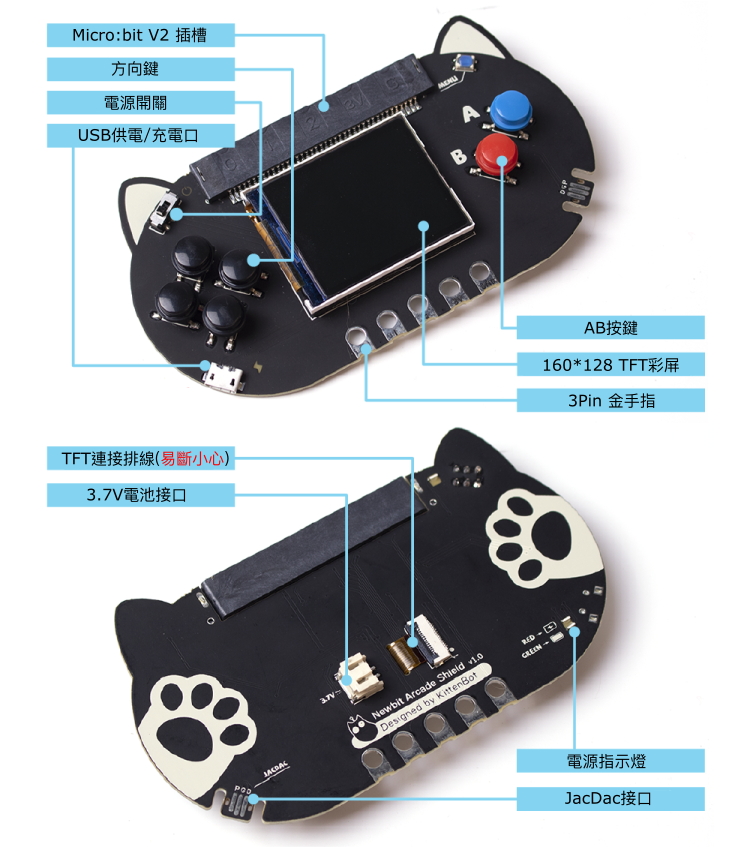
* 板載資源: 160*128 TFT顯示屏, 方向鍵*4, AB按鍵, 3Pin 金手指, Micro USB供電/充電接口, JacDac接口, 電源指示燈
### 產品詳細
### 編程教學
#### MakeCode Arcade
MakeCode Arcade是編寫遊戲的編程平台,配合Micro:bit V2就可以在Newbit上玩到Arcade的遊戲。
{% content-ref url="/pages/Z2phX7pkaLE019iOqJBj" %}
[MakeCode Arcade編程教學](/expansion_board/newbit-arcade-shield/newbitarcade.md)
{% endcontent-ref %}
#### MicroCode
MicroCode是MicroSoft開發的全圖像化離線編程平台,簡單的編程邏輯和圖像化的編程令初小學生也可以接觸到編程教育。
{% content-ref url="/pages/hobhgg3RUrQP5Ot2nYfI" %}
[MicroCode 編程教學](/expansion_board/newbit-arcade-shield/newbitmicrocode.md)
{% endcontent-ref %}
### Jacdac
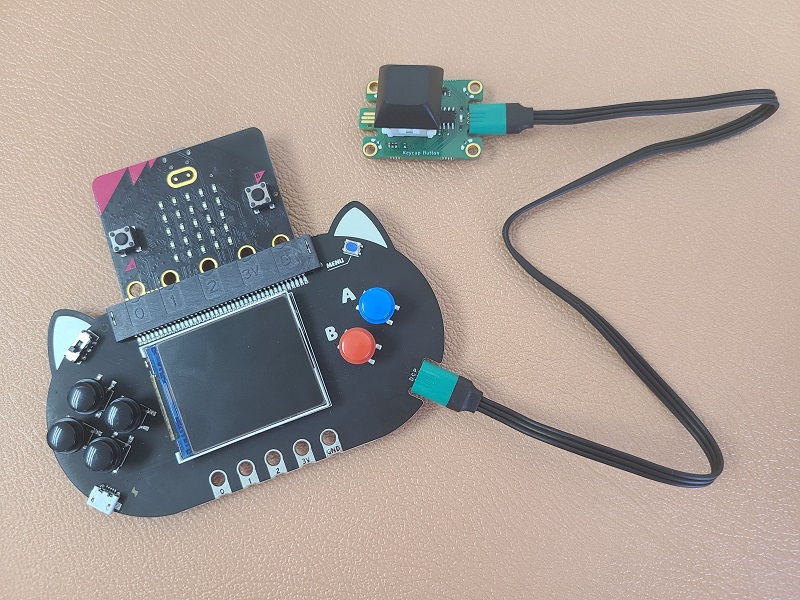 有關Newbit與Jacdac的玩法介紹,可以參考以下文章:
{% content-ref url="/pages/wGcV4cSSrRqJcHDylvHY" %}
[Newbit x Jacdac 玩法介紹](/expansion_board/newbit-arcade-shield/newbitmicrocode/newbitxjacdac.md)
{% endcontent-ref %}
有關Newbit與Jacdac的玩法介紹,可以參考以下文章:
{% content-ref url="/pages/wGcV4cSSrRqJcHDylvHY" %}
[Newbit x Jacdac 玩法介紹](/expansion_board/newbit-arcade-shield/newbitmicrocode/newbitxjacdac.md)
{% endcontent-ref %}