> For the complete documentation index, see [llms.txt](https://sharinghub.kittenbot.hk/llms.txt). Markdown versions of documentation pages are available by appending `.md` to page URLs; this page is available as [Markdown](https://sharinghub.kittenbot.hk/functional_modules/mini-led-tube.md).

# Mini LED Tube

![](/files/7ke5BuNtwlh1pY2246Gm)

這是一隻兼用積木結構的全彩LED燈條，細小的體積已經配備8粒RGB LED，更加可以透過串聯的方式將多條燈條連接起來，外殼配有透明散光罩，令燈光效果不刺眼。

### 產品特點

1. 支援3V驅動，更適合micro:bit創作環境
2. 兼容樂高結構件，拼砌更直接
3. 可以串聯多個燈條
4. 散光罩令燈光效果更柔和

<figure><img src="/files/1UiTjpY37gYCKMNW8COk" alt=""><figcaption></figcaption></figure>

### 產品參數

* 工作電壓：3V\~5V
* 燈珠：8粒
* 接口：防反插接口
* 長度：10.5cm
* 類型: Digital 數位模組

### 接線教學

### Robotbit EDU

<figure><img src="/files/Dvqyrpvr7gUCwavifU9R" alt=""><figcaption></figcaption></figure>

### Robotbit 2.2

<figure><img src="/files/hqKIWQNuzb8fWwREEVqo" alt=""><figcaption></figcaption></figure>

### 串聯接線

<figure><img src="/files/47GAPVuAtEt0TgJIDJKo" alt=""><figcaption></figcaption></figure>

### MakeCode編程教學

#### Microbit:

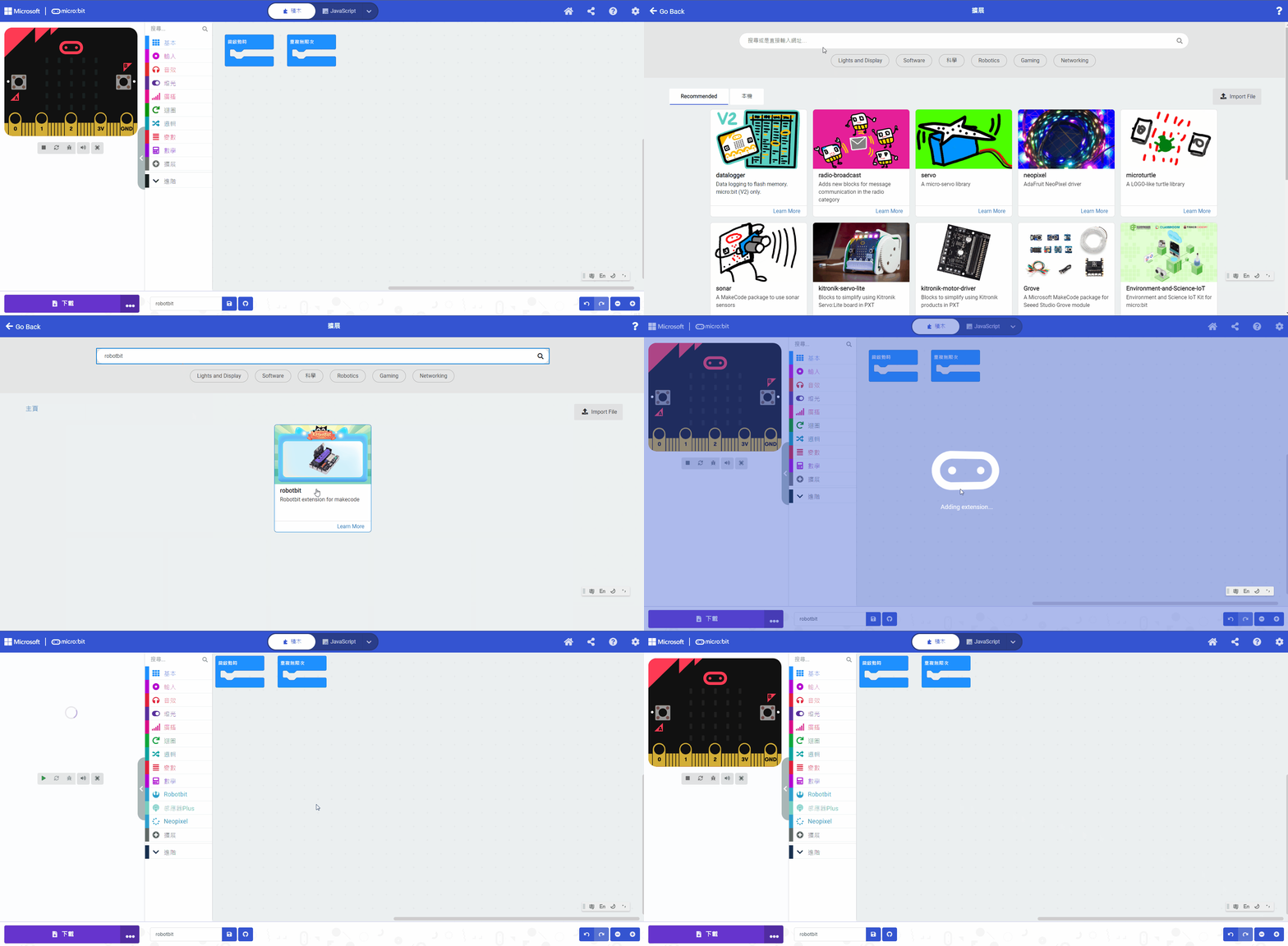
#### 加載Robotbit插件：

#### 在擴展頁直接搜尋robotbit (robotbit已經過微軟認證，可以直接搜尋)

![](https://kittenbothk.readthedocs.io/en/latest/_images/robotbit_search.gif)

#### 你亦可以用插件地址搜尋

robotbit插件：<https://github.com/KittenBot/pxt-robotbit>

#### [詳細方法](/programmingplatforms/makecode/kittenbotandmakecode.md)

#### NeoPixel積木塊：

<figure><img src="/files/qIPY0X9KTK8XHoyXpuYo" alt=""><figcaption></figcaption></figure>

{% embed url="<https://makecode.microbit.org/_fvDR70C9VMVs>" %}

[參考程式網址](https://makecode.microbit.org/_fvDR70C9VMVs)


---

# Agent Instructions
This documentation is published with GitBook. GitBook is the documentation platform designed so that both humans and AI agents can read, navigate, and reason over technical content effectively. Learn more at gitbook.com.

## Querying This Documentation
If you need additional information that is not directly available in this page, you can query the documentation dynamically by asking a question.

Perform an HTTP GET request on the current page URL with the `ask` query parameter, and the optional `goal` query parameter:

```
GET https://sharinghub.kittenbot.hk/functional_modules/mini-led-tube.md?ask=<question>&goal=<endgoal>
```

`ask` is the immediate question: it should be specific, self-contained, and written in natural language.
`goal` is optional and describes the broader end goal you are ultimately trying to accomplish on behalf of the user. GitBook uses it to tailor the answer towards what is most useful for that goal.

The response will contain a direct answer to the question and relevant excerpts and sources from the documentation.

Use this mechanism when the answer is not explicitly present in the current page, you need clarification or additional context, or you want to retrieve related documentation sections.