# pH酸鹼值探測組合+Micro:bit編程教學
### 編程教學
#### MakeCode 編程教學
#### 在擴展頁直接搜尋Robotbit (Robotbit已經過微軟認證,可以直接搜尋)
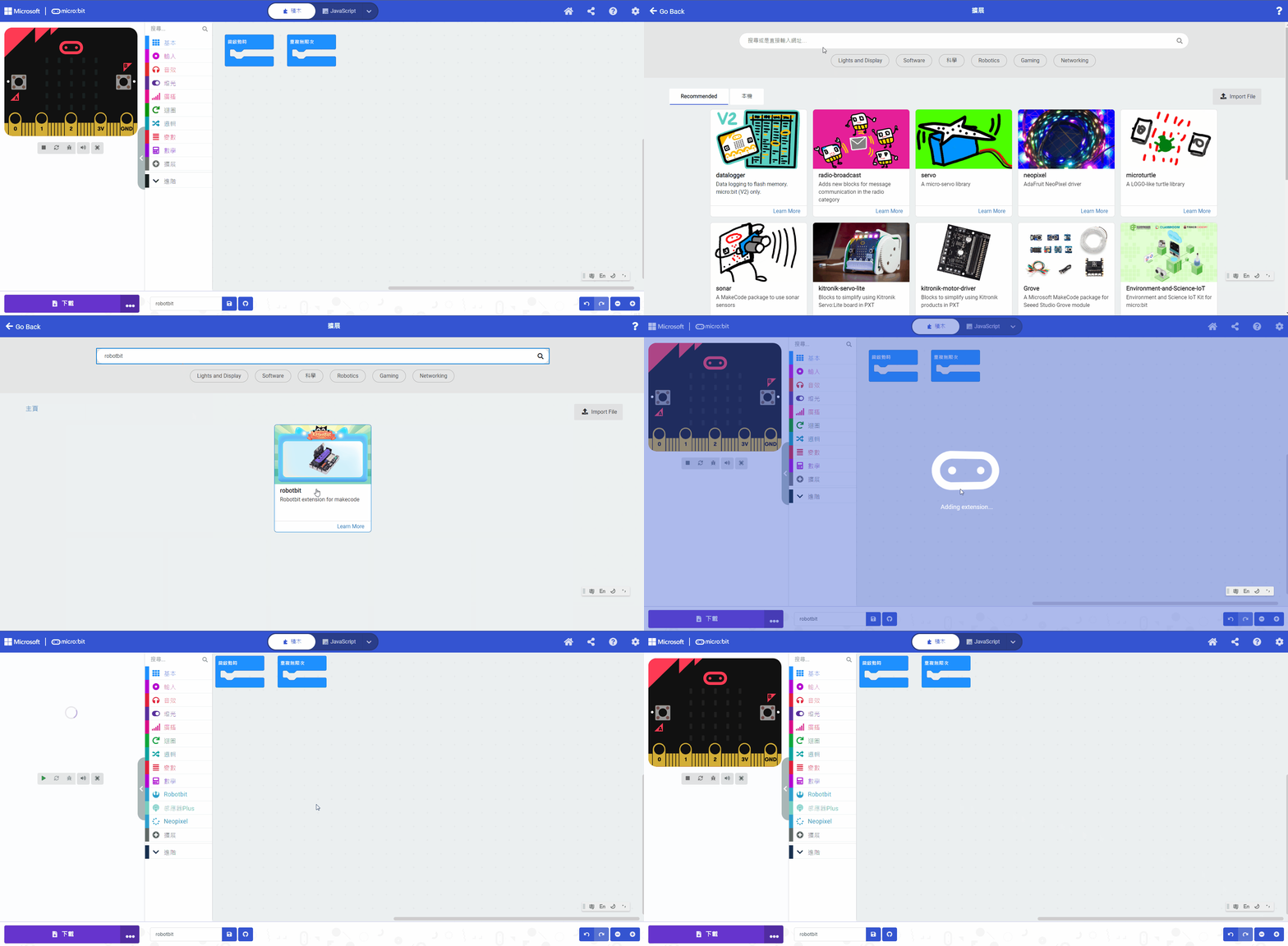
#### 感應器Plus插件:
#### [詳細方法](/programmingplatforms/makecode/kittenbotandmakecode.md)
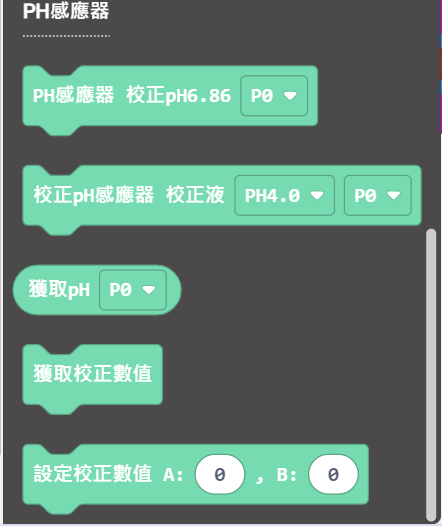
#### pH感應器積木塊
#### MakeCode參考程式
{% embed url="" %}
打開[參考程式](https://makecode.microbit.org/_hU33u4FHuegC)
#### pH酸鹼值探測組合程式解說
1. 將pH探測棒上的標貼所顯示的校正值, 分別填進程式的"設定校正數值" A和B中。
2. 將程式下載到Micro:bit。
3. 按下A鍵,正式完成模組校正。
4. 將pH探測棒浸到測量液當中,等待大約1分鐘。
5. 按下B鍵,檢測液的pH值便會隨即顯示在microbit上。
6. 檢測其他液體前, 須用蒸餾水洗淨pH探測棒, 並用紙巾徹底抹乾凈。
---
# Agent Instructions: Querying This Documentation
If you need additional information that is not directly available in this page, you can query the documentation dynamically by asking a question.
Perform an HTTP GET request on the current page URL with the `ask` query parameter:
```
GET https://sharinghub.kittenbot.hk/functional_modules/ph/phuse.md?ask=
```
The question should be specific, self-contained, and written in natural language.
The response will contain a direct answer to the question and relevant excerpts and sources from the documentation.
Use this mechanism when the answer is not explicitly present in the current page, you need clarification or additional context, or you want to retrieve related documentation sections.