> For the complete documentation index, see [llms.txt](https://sharinghub.kittenbot.hk/llms.txt). Markdown versions of documentation pages are available by appending `.md` to page URLs; this page is available as [Markdown](https://sharinghub.kittenbot.hk/functional_modules/sugar/loadcell.md).
# Sugar二期 稱重模組
 Sugar 稱重模組可以量度物件的重量。
## 產品參數:
* 尺寸: 88x56x33mm
* 訊號: I2C
* 類型:I2C 模組
* 可量度範圍: 0-5kg
* 精準度: 0.1g
* 電壓: 3.3V/5V
## 產品接線
#### Robotbit EDU
Sugar 稱重模組可以量度物件的重量。
## 產品參數:
* 尺寸: 88x56x33mm
* 訊號: I2C
* 類型:I2C 模組
* 可量度範圍: 0-5kg
* 精準度: 0.1g
* 電壓: 3.3V/5V
## 產品接線
#### Robotbit EDU
 #### Robotbit 2.2
 ## 參考程式
#### MakeCode編程教學
#### 加載Sugar插件:
#### 在擴展頁直接搜尋sugar (sugar已經過微軟認證,可以直接搜尋)
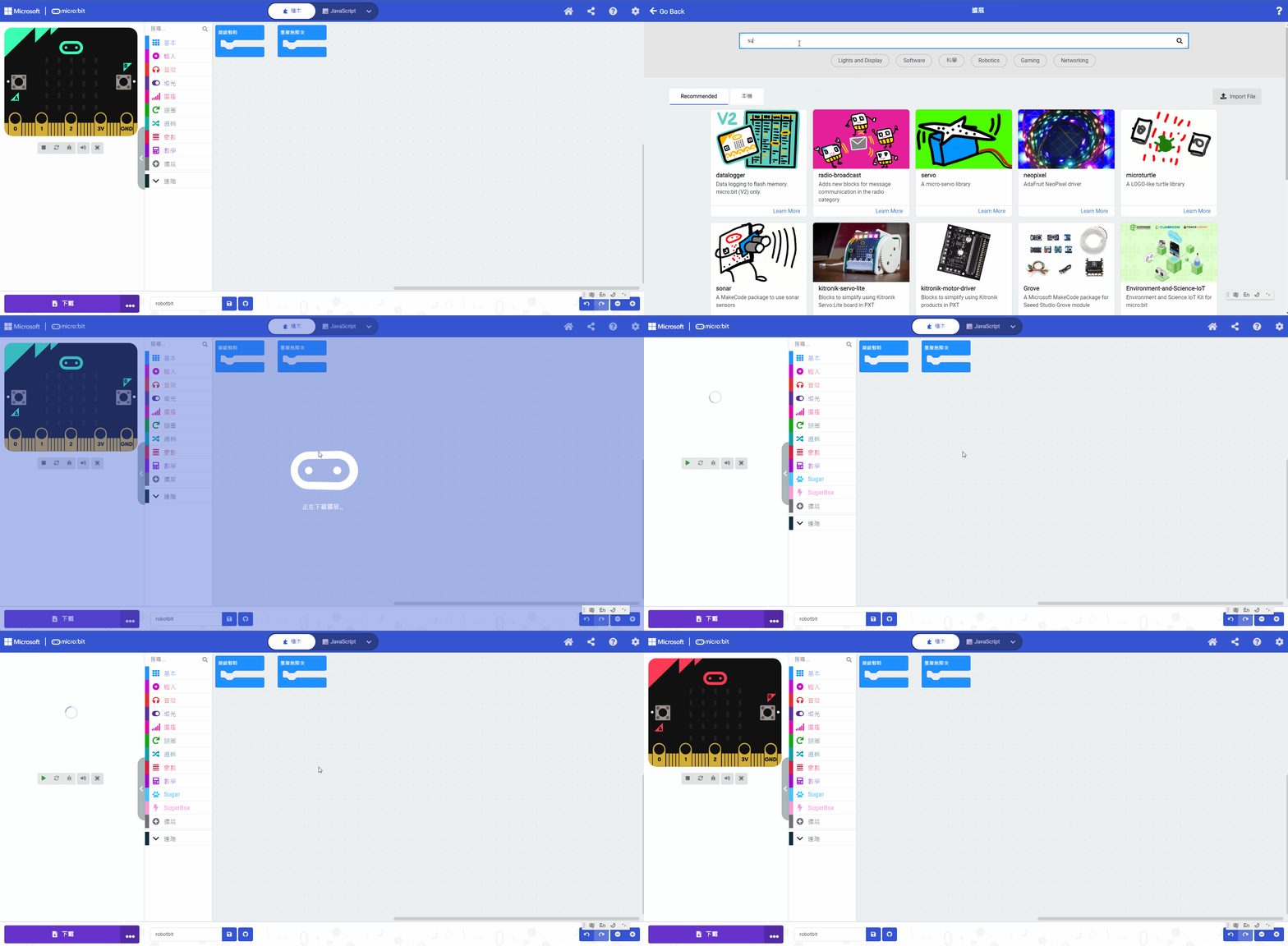
#### 你亦可以用插件地址搜尋
Sugar插件:
#### [詳細方法](/programmingplatforms/makecode/kittenbotandmakecode.md)
### 量度重量
Micro:bit上使用稱重模組需要手動輸入校正數值。首先打開以下參考程式。
#### 參考程式
{% embed url="" %}
[下載參考程式](https://makecode.microbit.org/_HmwKUrD8iPW9)
在程式中將模組背後印有的校正數值填在程式的 設定校準值 積木裡面。
## 參考程式
#### MakeCode編程教學
#### 加載Sugar插件:
#### 在擴展頁直接搜尋sugar (sugar已經過微軟認證,可以直接搜尋)

#### 你亦可以用插件地址搜尋
Sugar插件:
#### [詳細方法](/programmingplatforms/makecode/kittenbotandmakecode.md)
### 量度重量
Micro:bit上使用稱重模組需要手動輸入校正數值。首先打開以下參考程式。
#### 參考程式
{% embed url="" %}
[下載參考程式](https://makecode.microbit.org/_HmwKUrD8iPW9)
在程式中將模組背後印有的校正數值填在程式的 設定校準值 積木裡面。
