> For the complete documentation index, see [llms.txt](https://sharinghub.kittenbot.hk/llms.txt). Markdown versions of documentation pages are available by appending `.md` to page URLs; this page is available as [Markdown](https://sharinghub.kittenbot.hk/functional_modules/sugar/magnet.md).
# Sugar 磁力感應模組
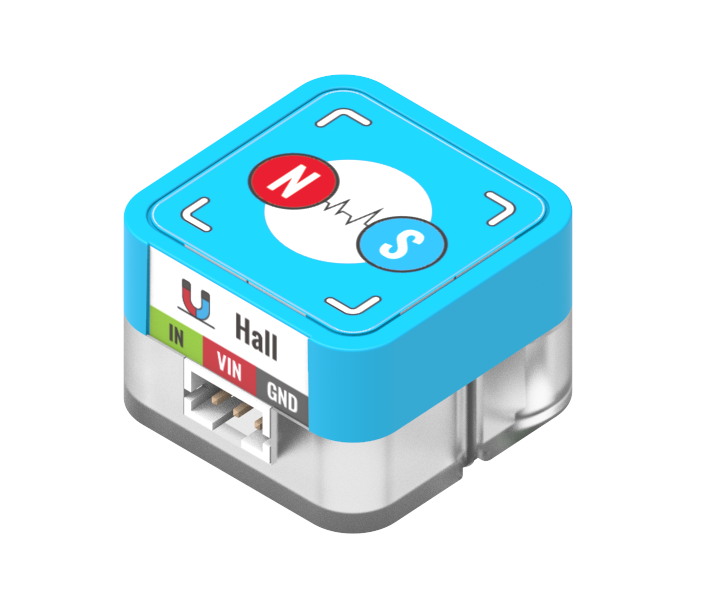
這是一隻磁力感應模組,可以感應附近是否有磁石。背後亦設有塑膠積木孔,可以完美配搭塑膠積木使用。
### 產品參數
* 尺寸:24 x 24 x 16 mm
* 重量:4.7g
* 訊號:有磁石時返回0,否則返回1
* 類型:Digital 數位模組
### 產品接線
#### Robotbit Edu
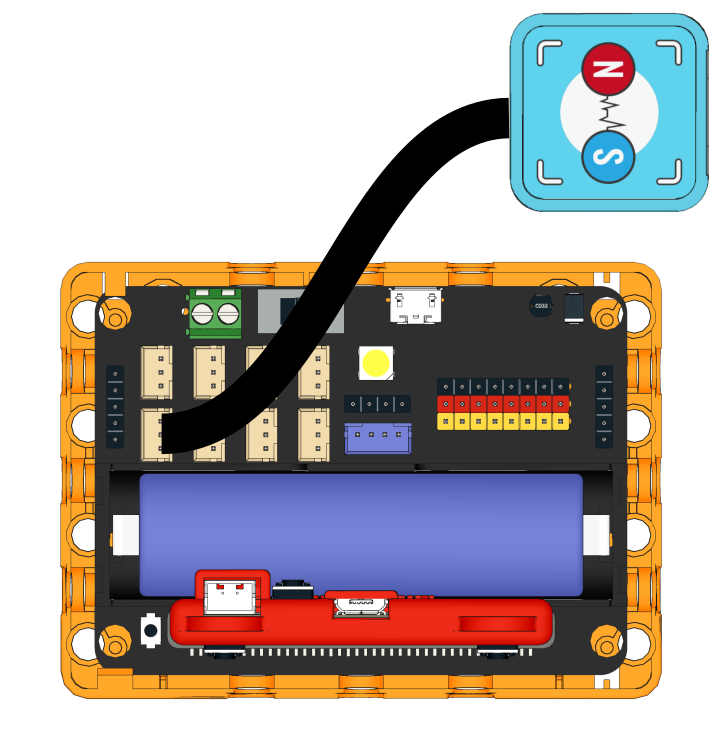
用3Pin 連接線將模組與Robotbit Edu連接起來。
#### Robotbit 2.2
用3Pin 連接線將模組與Robotbit 2.2連接起來。
 ### 編程教學
### MakeCode編程教學

#### 加載Sugar插件:
#### 在擴展頁直接搜尋sugar (sugar已經過微軟認證,可以直接搜尋)
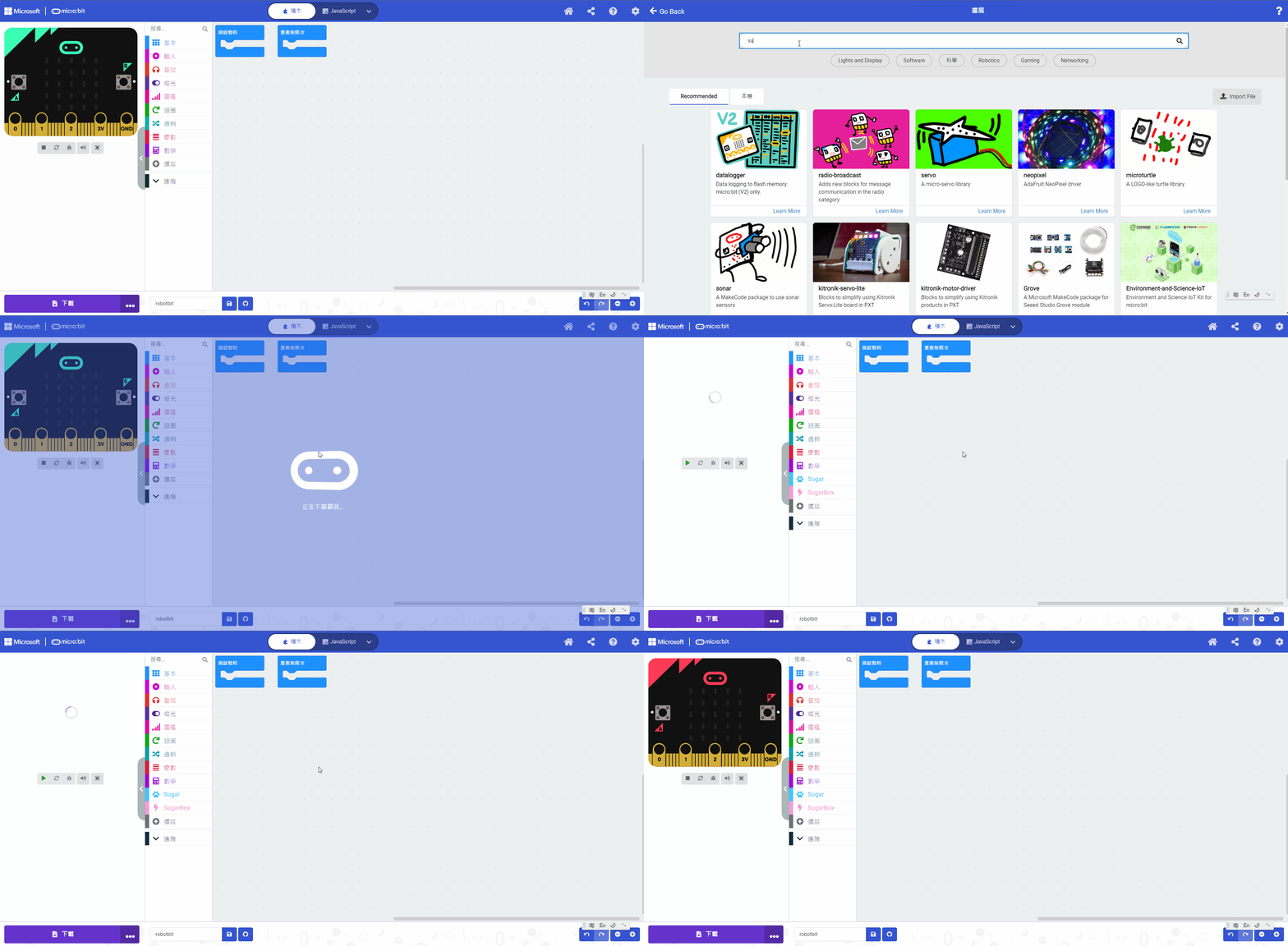
#### 你亦可以用插件地址搜尋
Sugar插件:
#### [詳細方法](/programmingplatforms/makecode/kittenbotandmakecode.md)
{% embed url="" %}
[參考程式](https://makecode.microbit.org/_LRV7D0FrfAtU)
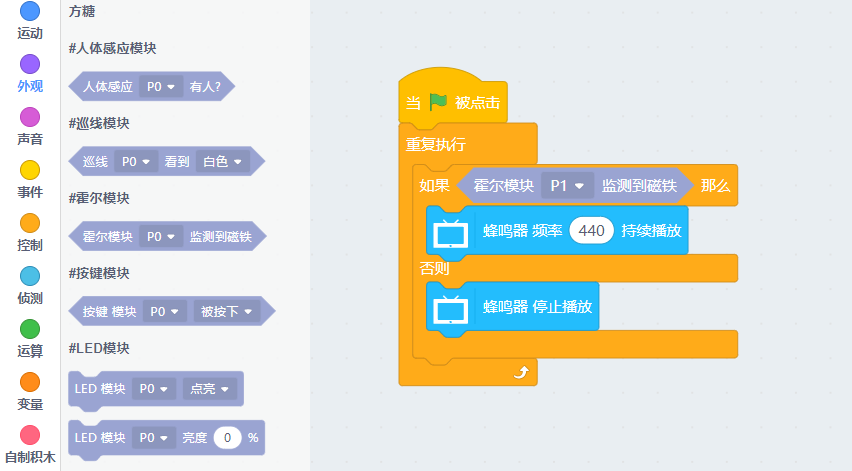
#### Kittenblock 編程教學

#### MicroPython編程教學
```
Hall(pin)
value()
```
* value(): 有磁石時返回0,否則返回1
參考程式
```
from future import *
from sugar import *
hall = Hall('P1')
while True:
if hall.value():
buzzer.tone(440, -1)
else:
buzzer.stop()
```
### 編程教學
### MakeCode編程教學

#### 加載Sugar插件:
#### 在擴展頁直接搜尋sugar (sugar已經過微軟認證,可以直接搜尋)

#### 你亦可以用插件地址搜尋
Sugar插件:
#### [詳細方法](/programmingplatforms/makecode/kittenbotandmakecode.md)
{% embed url="" %}
[參考程式](https://makecode.microbit.org/_LRV7D0FrfAtU)
#### Kittenblock 編程教學


#### MicroPython編程教學
```
Hall(pin)
value()
```
* value(): 有磁石時返回0,否則返回1
參考程式
```
from future import *
from sugar import *
hall = Hall('P1')
while True:
if hall.value():
buzzer.tone(440, -1)
else:
buzzer.stop()
```