# Jacdapter

![](https://kittenbothk.readthedocs.io/en/latest/_images/jacdapter1.jpg)

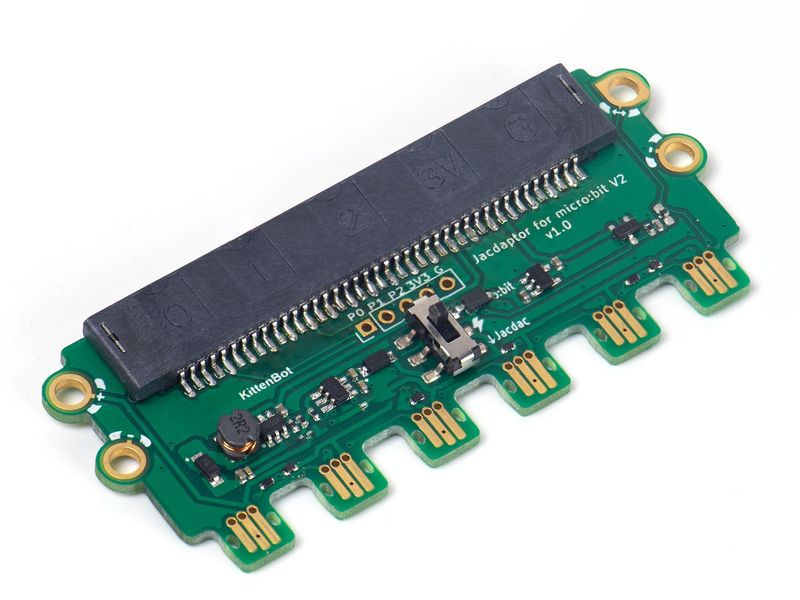
Jacdapter是Micro:bit V2專用的Jacdac擴展板，它為Micro:bit帶來6組Jacdac接口。

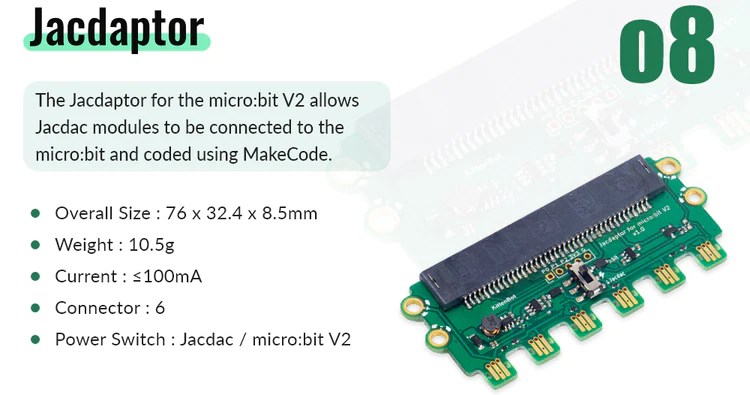
### 產品參數

![](https://kittenbothk.readthedocs.io/en/latest/_images/jacdapter2.png)

### 詳細介紹

![](https://kittenbothk.readthedocs.io/en/latest/_images/jacdapter3.png)

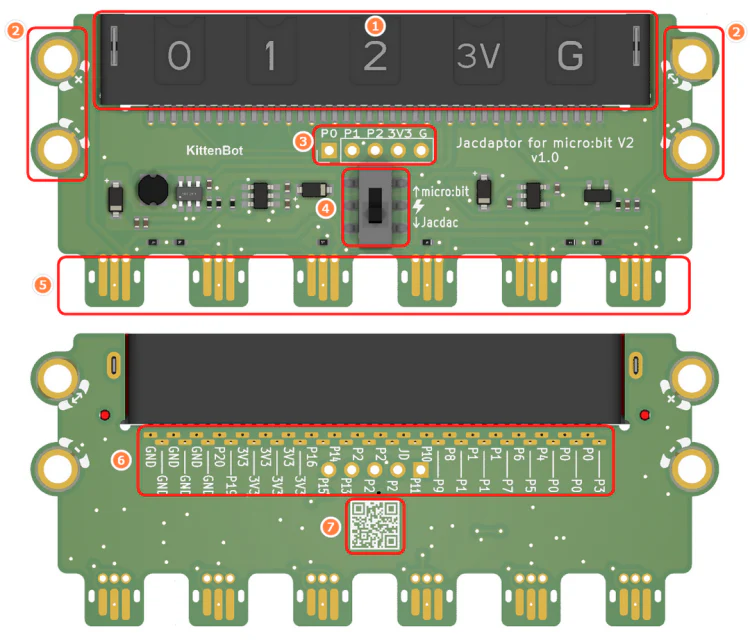
1. Micro:bit插座
2. Jacdac標準螺絲孔
3. Micro:bit金手指
4. 電源掣
5. Jacdac接頭
6. Micro:bit引腳接口(需焊接)
7. 產品二維碼

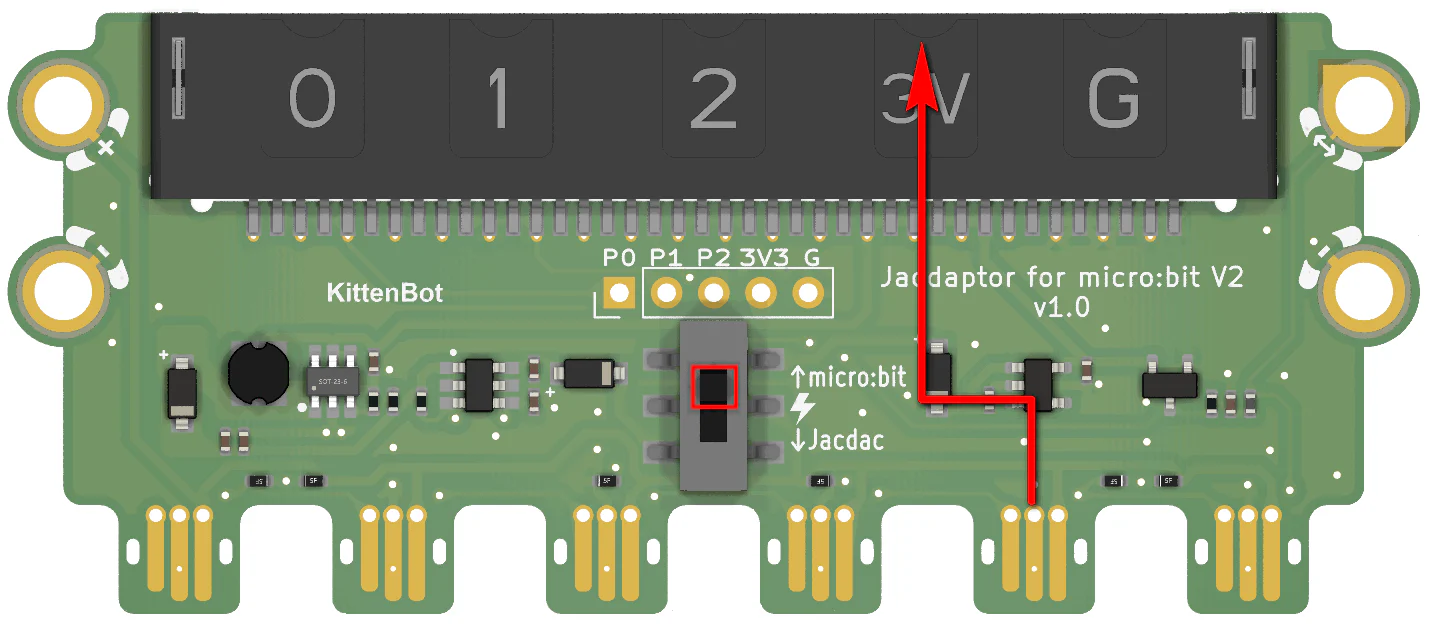
### 電源掣使用說明
![](https://kittenbothk.readthedocs.io/en/latest/_images/jacdapterpower1.png)

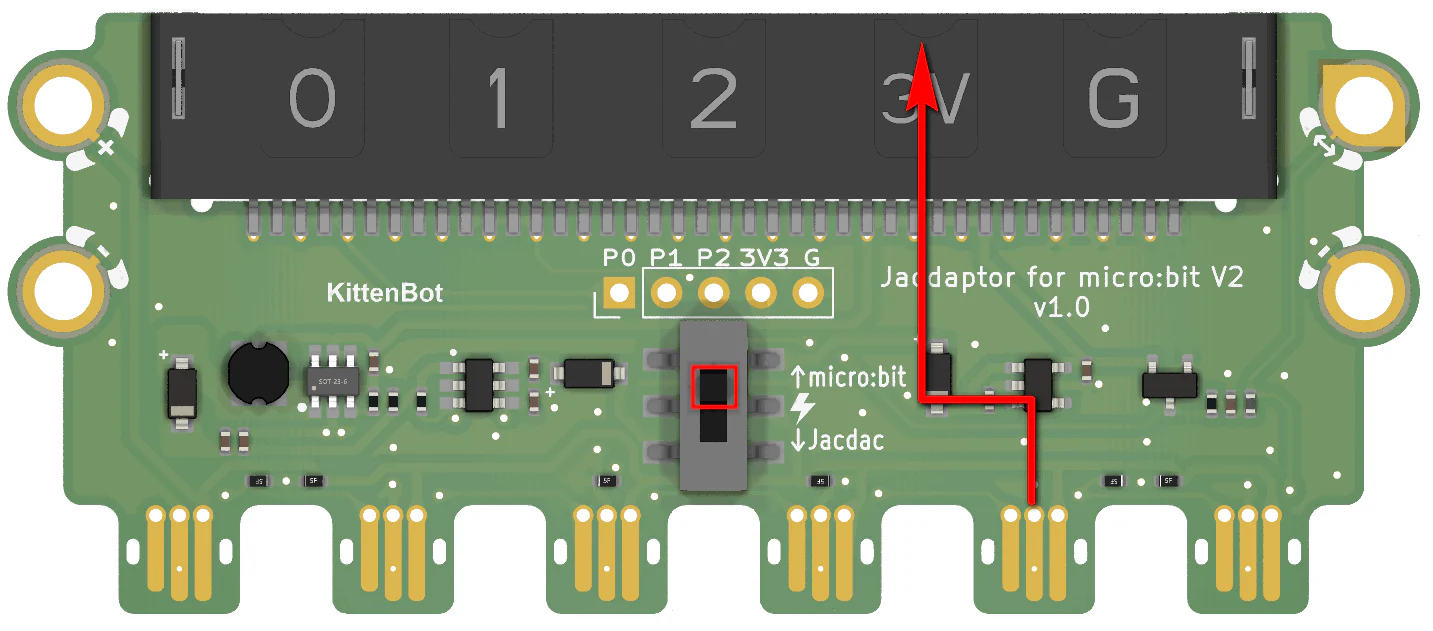
當電源掣撥向下，代表電源由Micro:bit供向Jacdac模組。

![](https://kittenbothk.readthedocs.io/en/latest/_images/jacdapterpower2.png)

當電源掣撥向上，代表電源由Jacdac模組供向Micro:bit。

### 使用教學

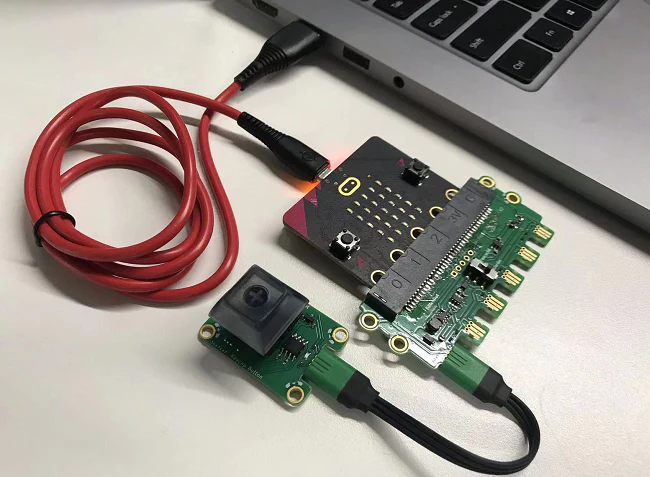
#### 將Micro:bit插在插座上
![](https://kittenbothk.readthedocs.io/en/latest/_images/connection.png)

### 注意事項

請使用電源板供電時，請將Jacdapter的電源切換撥向上(micro:bit方向)，並且將電源板的開關撥至On。

<div><figure><img src="/files/HCmc8mAJbaZRQSaPTte1" alt=""><figcaption></figcaption></figure> <figure><img src="/files/nCxXnd2k60AdCP1Wkl1o" alt=""><figcaption></figcaption></figure></div>

<div><figure><img src="/files/AtcZLEdaWx7wsgoSuhIw" alt=""><figcaption></figcaption></figure> <figure><img src="/files/fXrCh0RELDG3cedIhmPV" alt=""><figcaption></figcaption></figure></div>


---

# Agent Instructions: Querying This Documentation

If you need additional information that is not directly available in this page, you can query the documentation dynamically by asking a question.

Perform an HTTP GET request on the current page URL with the `ask` query parameter:

```
GET https://sharinghub.kittenbot.hk/jacdac/hardwares/starterkita/jacdapter.md?ask=<question>
```

The question should be specific, self-contained, and written in natural language.
The response will contain a direct answer to the question and relevant excerpts and sources from the documentation.

Use this mechanism when the answer is not explicitly present in the current page, you need clarification or additional context, or you want to retrieve related documentation sections.