> For the complete documentation index, see [llms.txt](https://sharinghub.kittenbot.hk/llms.txt). Markdown versions of documentation pages are available by appending `.md` to page URLs; this page is available as [Markdown](https://sharinghub.kittenbot.hk/programmingplatforms/kittencode/interface.md).

# KittenCode操作指引

### 主頁
<figure><img src="https://files.gitbook.com/v0/b/gitbook-x-prod.appspot.com/o/spaces%2F7Bv9xBdKh3R9w6Vp7asd%2Fuploads%2FtaTaWJMtgPS7AV9dGCeT%2Fimage.png?alt=media&#x26;token=2df52af6-ba66-4fc8-a45c-6e8d04d9f60e" alt=""><figcaption></figcaption></figure>

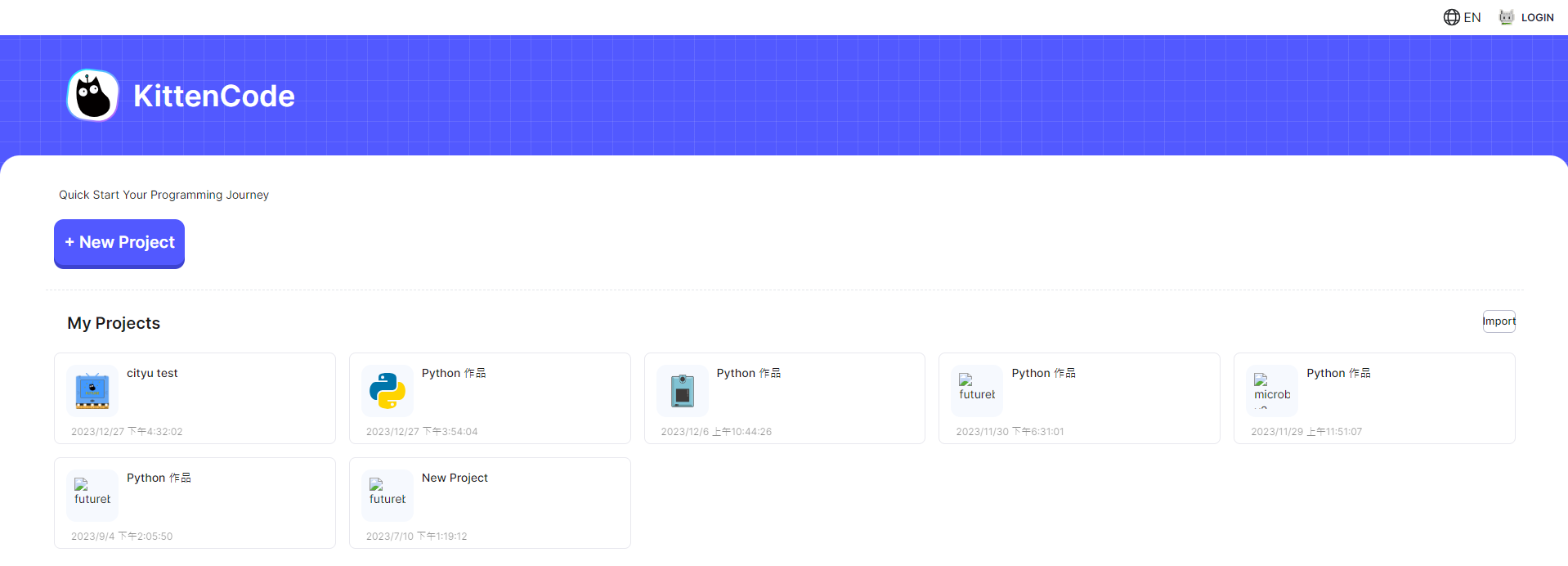
在主頁，您可以:

1. 建立新專案
2. 加載專案

### 建立專案

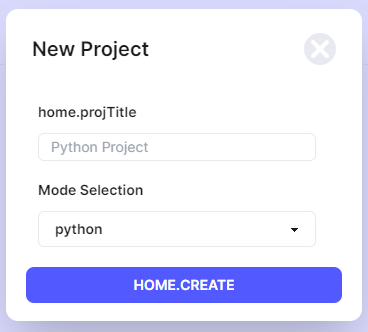
<figure><img src="https://files.gitbook.com/v0/b/gitbook-x-prod.appspot.com/o/spaces%2F7Bv9xBdKh3R9w6Vp7asd%2Fuploads%2FRkBV3RNgszo3oYSbfu3o%2Fimage.png?alt=media&#x26;token=01711e64-7031-46e3-829c-c632813031a1" alt=""><figcaption></figcaption></figure>

在建立專案時，您需要選擇模式並選擇硬件。(python/micropython)

### 功能條

<figure><img src="https://files.gitbook.com/v0/b/gitbook-x-prod.appspot.com/o/spaces%2F7Bv9xBdKh3R9w6Vp7asd%2Fuploads%2F2WF5ifTL4nxTt3gI3krg%2Fimage.png?alt=media&#x26;token=82bed191-42f1-48b5-9e9f-83626eaf93f2" alt=""><figcaption></figcaption></figure>

由左至右:

1. 退出專案
2. 儲存
3. 連接硬件
4. 選擇語言
5. 切換深色模式

### 檔案管理
<figure><img src="https://files.gitbook.com/v0/b/gitbook-x-prod.appspot.com/o/spaces%2F7Bv9xBdKh3R9w6Vp7asd%2Fuploads%2FdFMkDXwzNYKLFuO0BCut%2Fimage.png?alt=media&#x26;token=d7c8031d-03ff-4380-856a-ff67f67b6ba3" alt=""><figcaption></figcaption></figure>

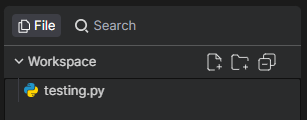
1. 建立新檔案/資料夾
2. 打開檔案

### 編程區

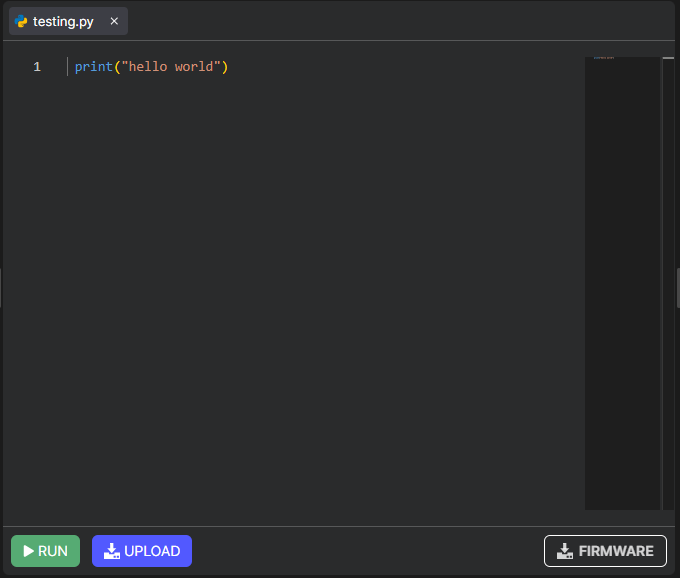
<figure><img src="https://files.gitbook.com/v0/b/gitbook-x-prod.appspot.com/o/spaces%2F7Bv9xBdKh3R9w6Vp7asd%2Fuploads%2Ff28dbtaqiKurxmZCNP1X%2Fimage.png?alt=media&#x26;token=07c908df-407b-49ba-bf56-848ba6d95a1f" alt=""><figcaption></figcaption></figure>

1. 編程區
2. 運行程式
3. 上載程式
4. 重刷硬件固件

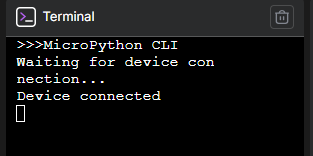
### REPL終端
<figure><img src="https://files.gitbook.com/v0/b/gitbook-x-prod.appspot.com/o/spaces%2F7Bv9xBdKh3R9w6Vp7asd%2Fuploads%2FNpzCwtW6y8t2Qae8so9n%2Fimage.png?alt=media&#x26;token=23f0e145-14fa-4c22-b872-4fb31b9f7013" alt=""><figcaption></figcaption></figure>

1. REPL控制台


---

# Agent Instructions
This documentation is published with GitBook. GitBook is the documentation platform designed so that both humans and AI agents can read, navigate, and reason over technical content effectively. Learn more at gitbook.com.

## Querying This Documentation
If you need additional information that is not directly available in this page, you can query the documentation dynamically by asking a question.

Perform an HTTP GET request on the current page URL with the `ask` query parameter, and the optional `goal` query parameter:

```
GET https://sharinghub.kittenbot.hk/programmingplatforms/kittencode/interface.md?ask=<question>&goal=<endgoal>
```

`ask` is the immediate question: it should be specific, self-contained, and written in natural language.
`goal` is optional and describes the broader end goal you are ultimately trying to accomplish on behalf of the user. GitBook uses it to tailor the answer towards what is most useful for that goal.

The response will contain a direct answer to the question and relevant excerpts and sources from the documentation.

Use this mechanism when the answer is not explicitly present in the current page, you need clarification or additional context, or you want to retrieve related documentation sections.