> For the complete documentation index, see [llms.txt](https://sharinghub.kittenbot.hk/llms.txt). Markdown versions of documentation pages are available by appending `.md` to page URLs; this page is available as [Markdown](https://sharinghub.kittenbot.hk/sciencekit/decibels.md).
# 1.聲音測量
 人類的活動例如工廠、交通等都會造成噪音。噪音亦是污染的一種,噪音污染除了會影響市民心情外亦會有機會影響市民聽力。
### 實驗準備
#### 請同學準備以下實驗硬件:
* 未來板Lite 顯示板 / Micro:bit+Robotbit
* 聲音測量儀器
* 白色連接線
### 未來板Lite版本
#### 硬件接線
請同學將聲音測量儀器連接到未來板Lite顯示板上。
人類的活動例如工廠、交通等都會造成噪音。噪音亦是污染的一種,噪音污染除了會影響市民心情外亦會有機會影響市民聽力。
### 實驗準備
#### 請同學準備以下實驗硬件:
* 未來板Lite 顯示板 / Micro:bit+Robotbit
* 聲音測量儀器
* 白色連接線
### 未來板Lite版本
#### 硬件接線
請同學將聲音測量儀器連接到未來板Lite顯示板上。
 #### 開啟程式
請同學在未來板Lite上開啟「1.Sound\_p1.py」檔案。
#### 開啟程式
請同學在未來板Lite上開啟「1.Sound\_p1.py」檔案。
 {% embed url="" %}
#### 進行測量
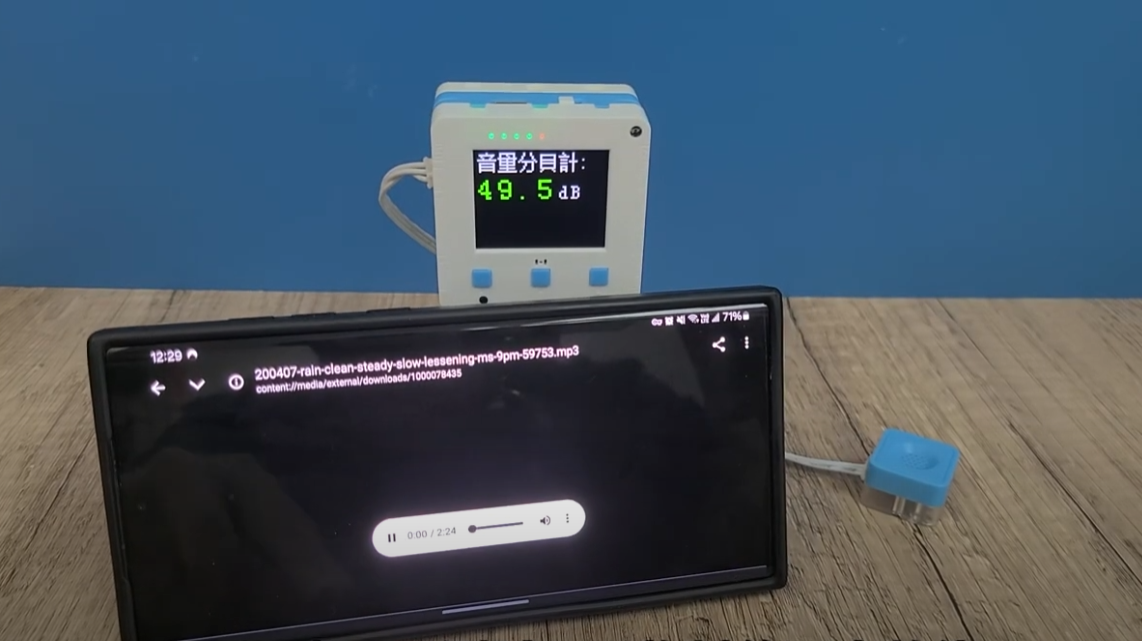
未來板Lite會一直顯示測量到的音量(分貝)。
{% embed url="" %}
#### 進行測量
未來板Lite會一直顯示測量到的音量(分貝)。
 #### Datalogging頁面
{% hint style="info" %}
未來板IP地址/html/db.html
{% endhint %}
#### Datalogging頁面
{% hint style="info" %}
未來板IP地址/html/db.html
{% endhint %}
 數據儲存在dbdata資料夾
 ### Micro:bit版本
#### 硬件接線
### Micro:bit版本
#### 硬件接線
 #### 參考程式
{% embed url="" %}
[下載參考程式](https://makecode.microbit.org/_e2UdFg5P3L3U)
#### 參考程式
{% embed url="" %}
[下載參考程式](https://makecode.microbit.org/_e2UdFg5P3L3U)