> For the complete documentation index, see [llms.txt](https://sharinghub.kittenbot.hk/llms.txt). Markdown versions of documentation pages are available by appending `.md` to page URLs; this page is available as [Markdown](https://sharinghub.kittenbot.hk/functional_modules/fingerprint.md).
# 手指模辨識模組
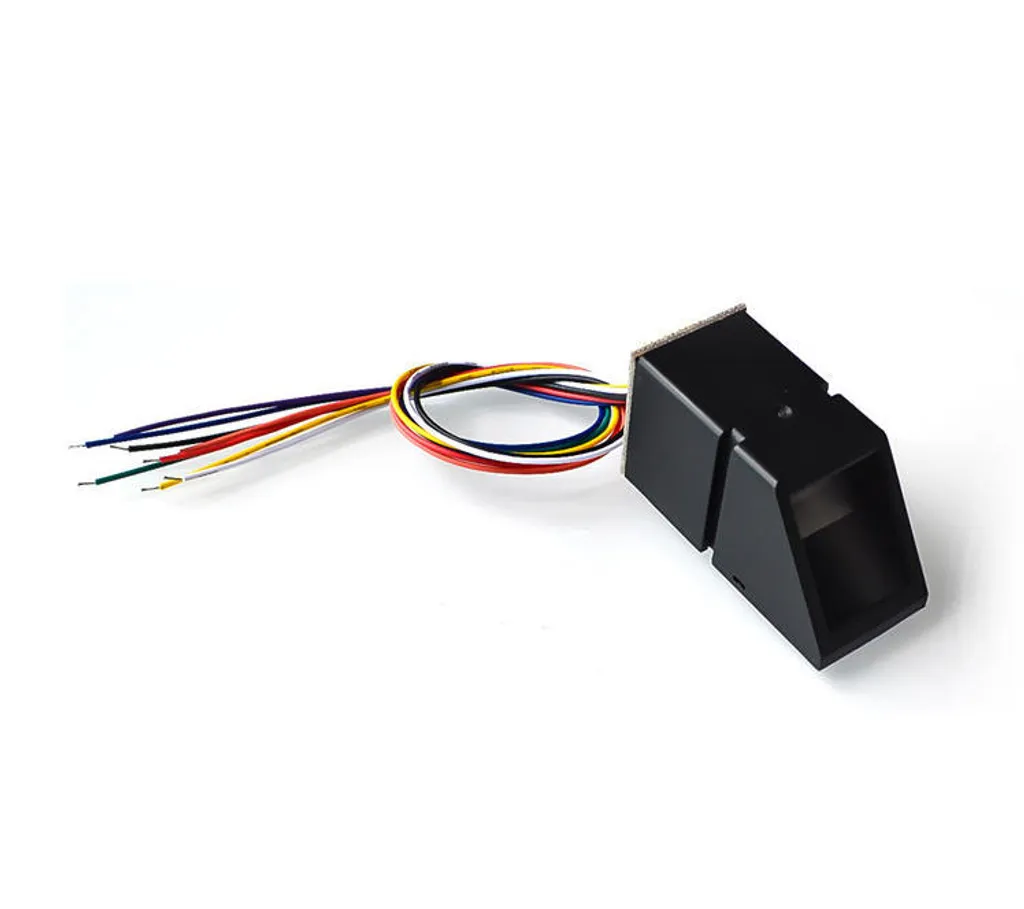 手指模辨識模組可以錄入及辨識到10組指紋,適合用於智能家居/防盜安全等的應用項目。
### 產品參數
* 工作電壓:5V
* 接口:4pin杜邦接口+3pin防反插接口
* 類型: Serial 串口模組
### 接線教學
將模組的4Pin杜邦線連接到Robotbit Edu的串口接口,將3Pin防反插連接線連接到任意一個防反插接口。
手指模辨識模組可以錄入及辨識到10組指紋,適合用於智能家居/防盜安全等的應用項目。
### 產品參數
* 工作電壓:5V
* 接口:4pin杜邦接口+3pin防反插接口
* 類型: Serial 串口模組
### 接線教學
將模組的4Pin杜邦線連接到Robotbit Edu的串口接口,將3Pin防反插連接線連接到任意一個防反插接口。

 ### MakeCode 編程教學
 #### 在擴展頁直接搜尋Robotbit (Robotbit已經過微軟認證,可以直接搜尋)[¶](broken://pages/7UMrfr98MwaU3ENjeG6H)
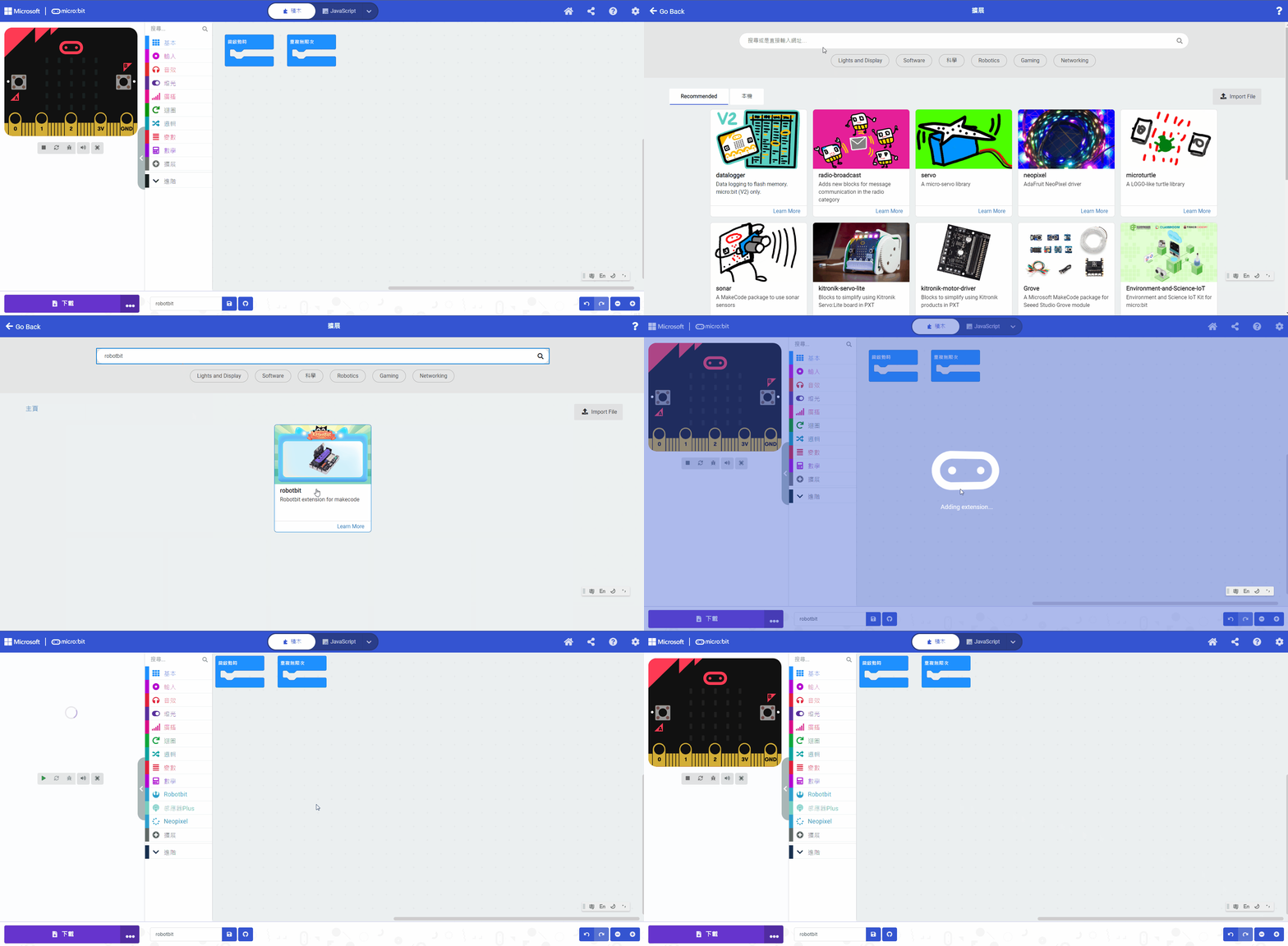 #### 感應器Plus插件:[¶](broken://pages/7UMrfr98MwaU3ENjeG6H)
#### [詳細方法](/programmingplatforms/makecode/kittenbotandmakecode.md)
#### 手指模辨識模組積木塊:
#### 感應器Plus插件:[¶](broken://pages/7UMrfr98MwaU3ENjeG6H)
#### [詳細方法](/programmingplatforms/makecode/kittenbotandmakecode.md)
#### 手指模辨識模組積木塊:
 #### 手指模辨識模組編程
#### 錄入手指模參考程式
{% embed url="" %}
[參考程式網址](https://makecode.microbit.org/_W6ADjH3efezz)
#### 手指模辨識參考程式
{% embed url="" %}
[參考程式網址](https://makecode.microbit.org/_4cRfKYcjid8D)
#### 插件版本與更新[¶](broken://pages/7UMrfr98MwaU3ENjeG6H)
插件可能會不定時推出更新,改進功能。亦有時候我們可能需要轉用舊版插件才可使用某些功能。
詳情請參考: [Makecode插件版本更換](/programmingplatforms/makecode/makecodeextupdate.md)
#### 手指模辨識模組編程
#### 錄入手指模參考程式
{% embed url="" %}
[參考程式網址](https://makecode.microbit.org/_W6ADjH3efezz)
#### 手指模辨識參考程式
{% embed url="" %}
[參考程式網址](https://makecode.microbit.org/_4cRfKYcjid8D)
#### 插件版本與更新[¶](broken://pages/7UMrfr98MwaU3ENjeG6H)
插件可能會不定時推出更新,改進功能。亦有時候我們可能需要轉用舊版插件才可使用某些功能。
詳情請參考: [Makecode插件版本更換](/programmingplatforms/makecode/makecodeextupdate.md)